Overview
Making appointment scheduling simpler, from availability to confirmation.
Scheduling an appointment should be straightforward. Someone chooses a suitable time, confirms their booking, and knows what happens next.
For professionals and freelancers managing appointments, however, the experience involves more than displaying a calendar. They need to configure their availability, manage bookings, account for timezones, and provide clients with a reliable way to reserve time.
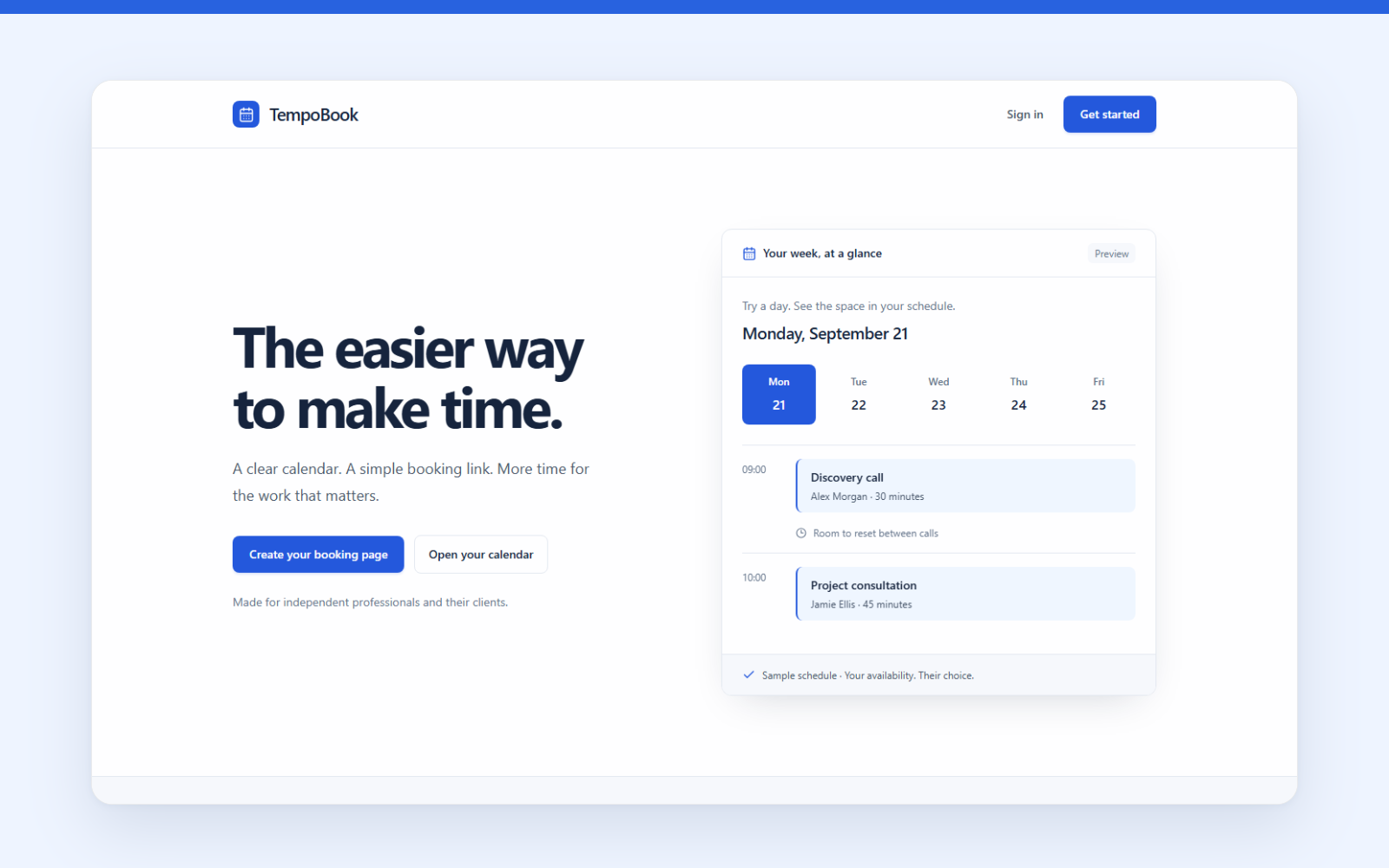
TempoBook is a web-based appointment scheduling product designed to bring these activities into one experience.
I worked on defining the product requirements, evaluating the experience, and identifying improvements needed to make the application easier to understand and use.
The project became an opportunity to explore an important distinction in product design: a feature can work technically without being intuitive to the person using it.
The Challenge
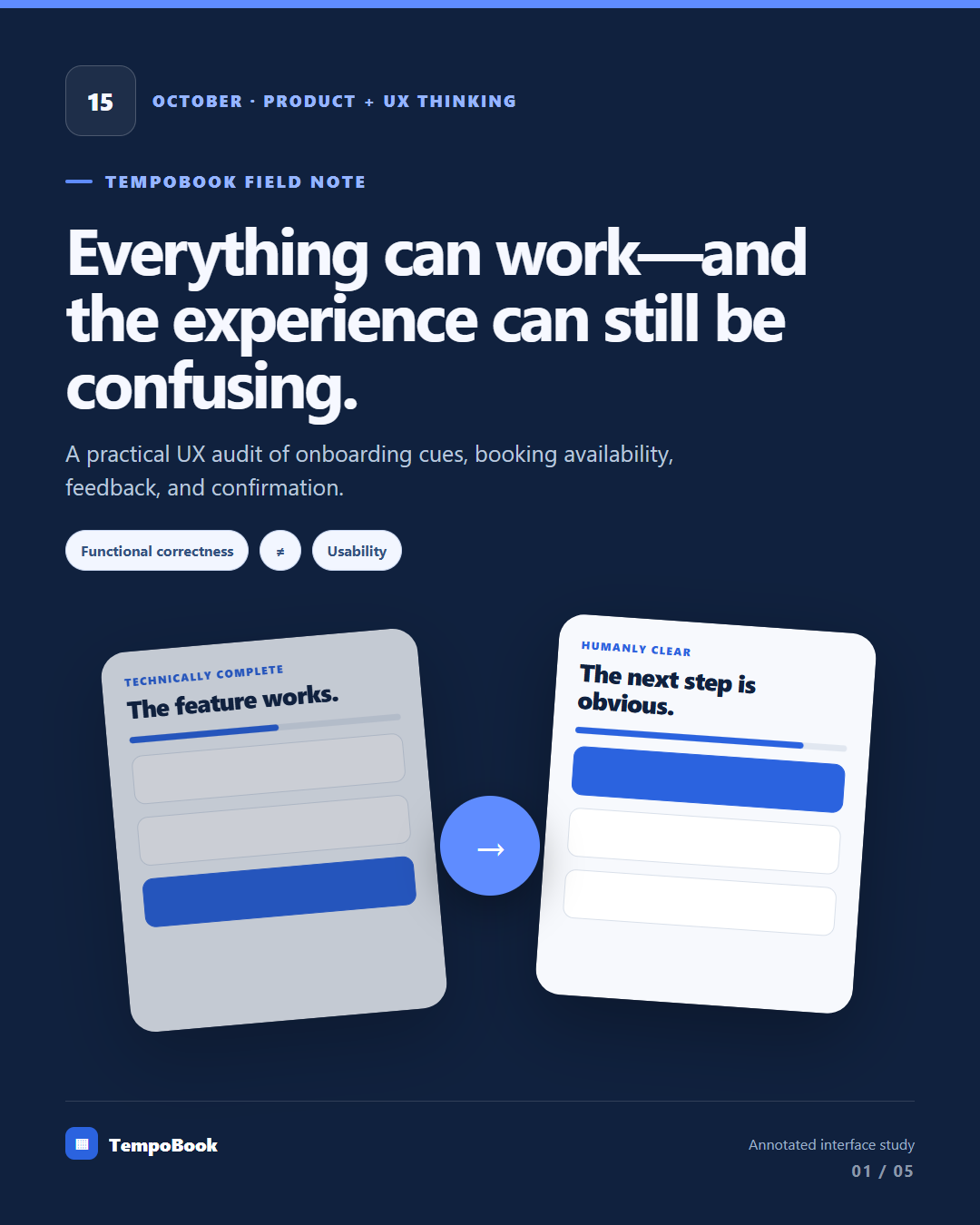
A functional product isn't necessarily an intuitive product.
TempoBook was designed to help business professionals and freelancers manage appointments without unnecessary back-and-forth communication.
The product needed to support two connected experiences.
For the professional, it needed to make configuring availability and managing appointments straightforward.
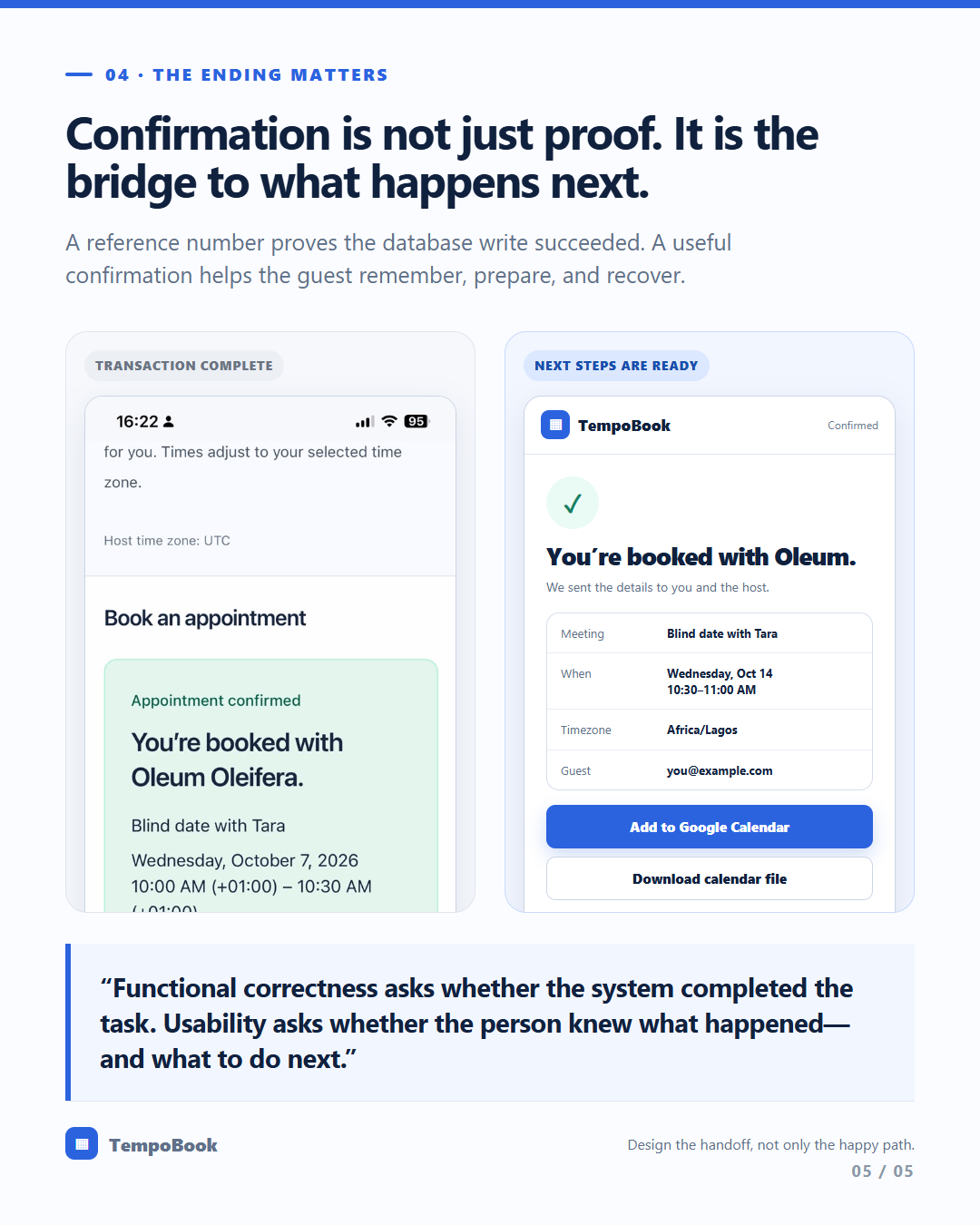
For the person booking, it needed to make finding a suitable time and completing a reservation simple.
But during product testing, I identified a more fundamental usability challenge.
Several parts of the application were functional, yet the experience did not consistently communicate what users should do next.
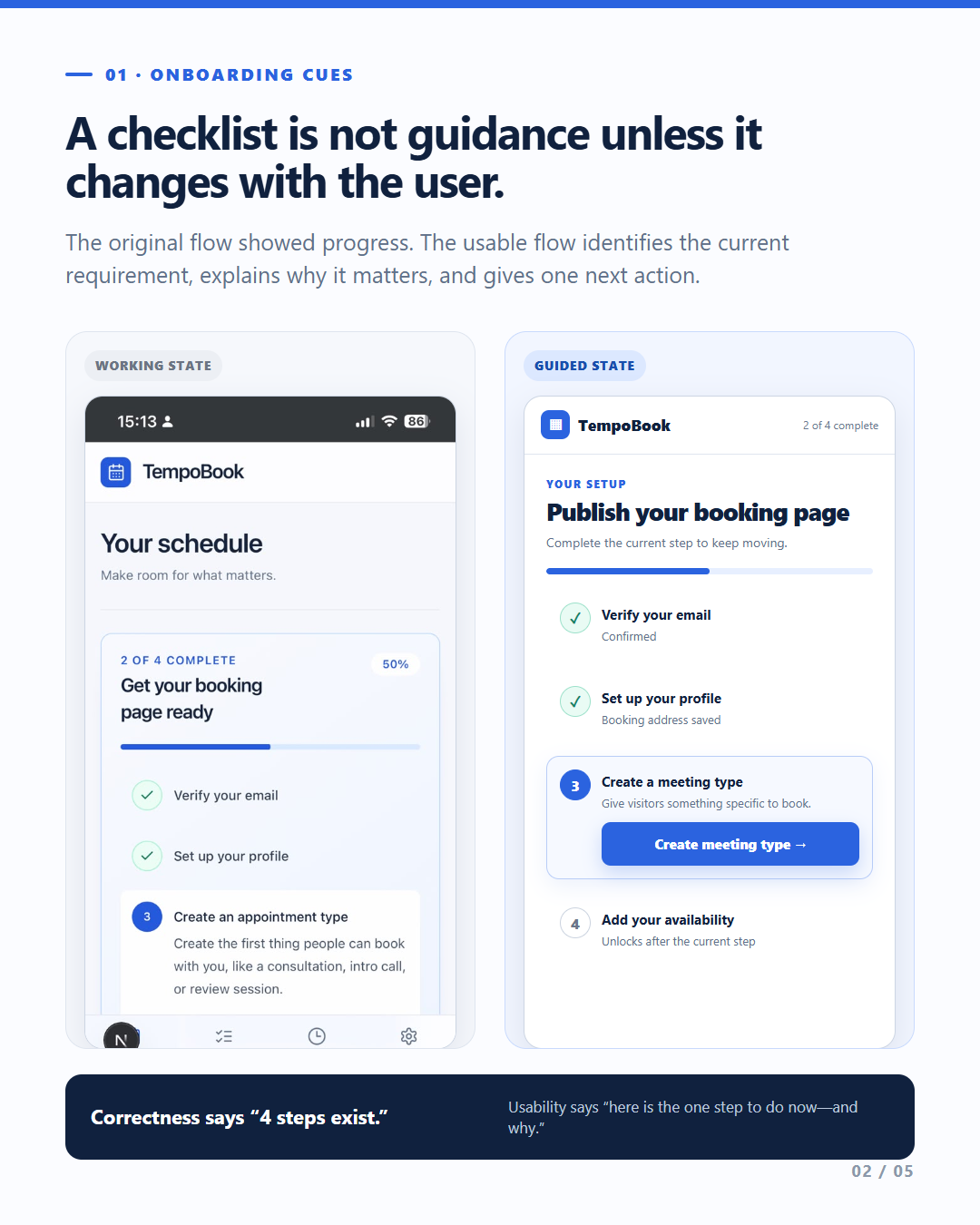
For example, the onboarding checklist displayed completed states without functioning as a reliable, interactive guide. New users could encounter the interface without clear direction on which setup action to take first.
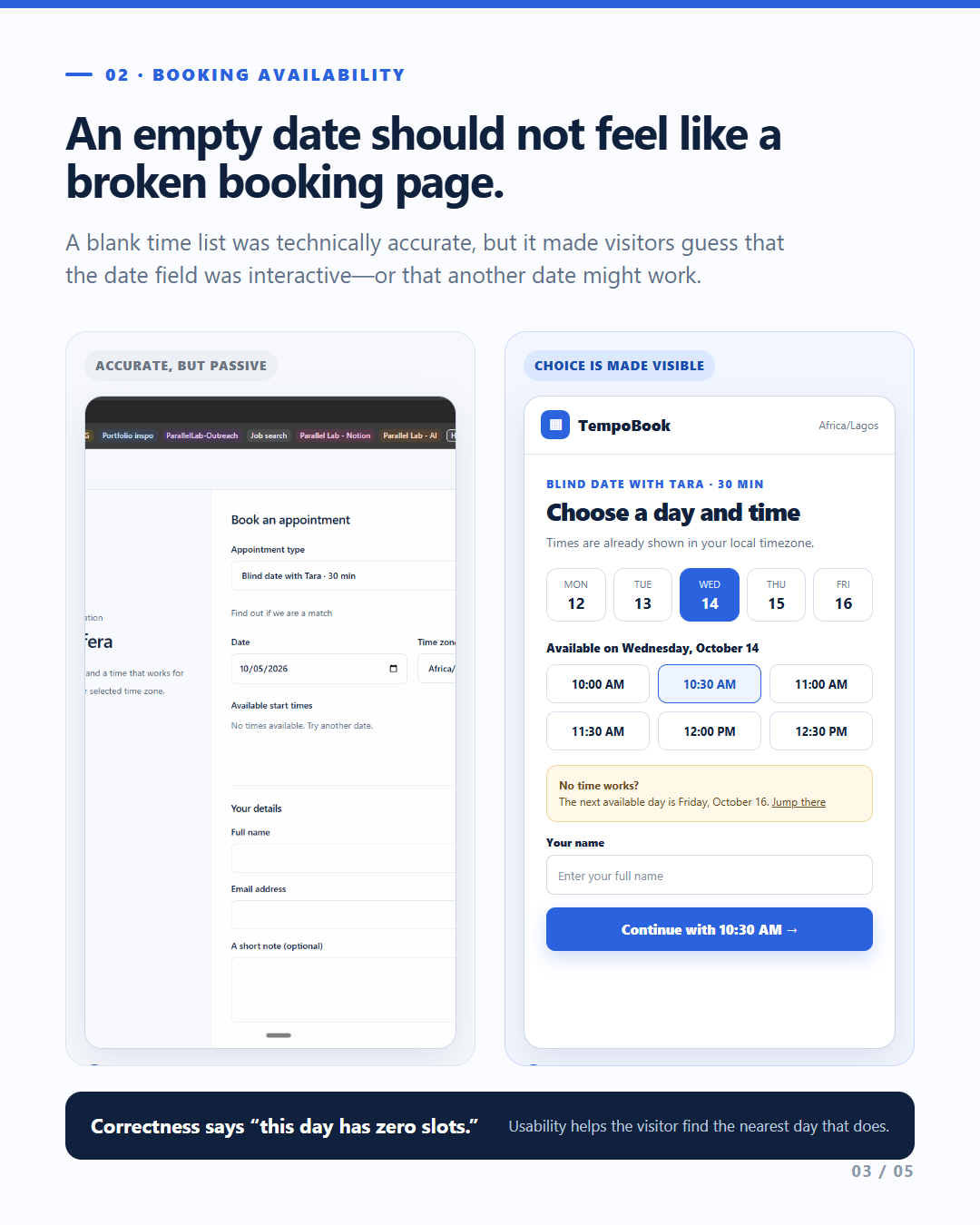
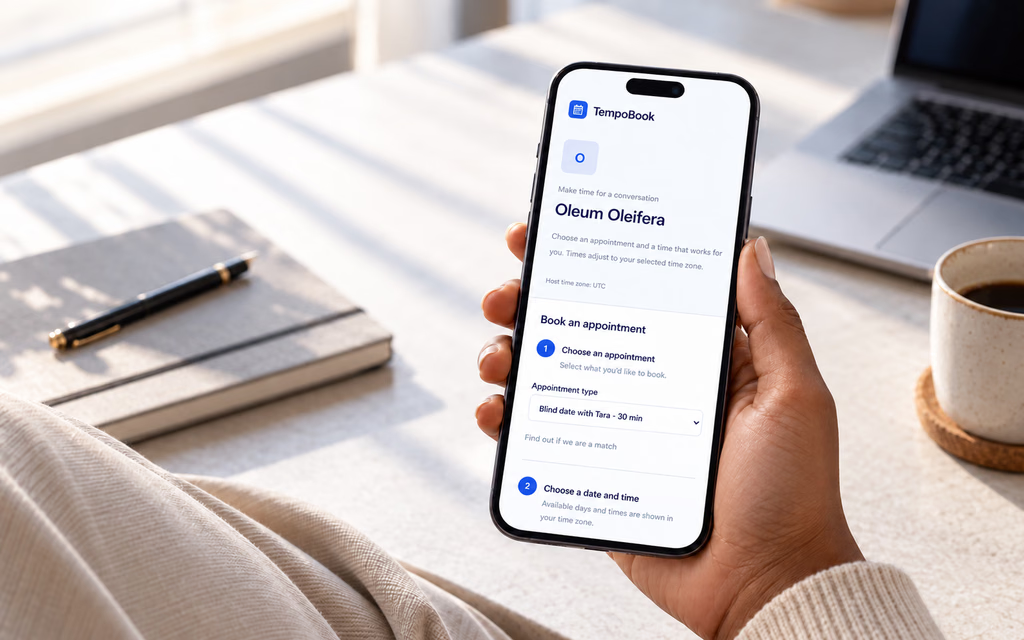
A separate mobile test also revealed a booking experience where appointment dates were not visible.
These observations shifted the focus from whether features existed to whether users could successfully understand and navigate them.
Product objectives
Make availability setup understandable for first-time users.
Help professionals create and manage appointment slots.
Provide clients with a clear booking journey.
Account for timezone differences across users.
Reduce confusion through meaningful guidance, feedback, and navigation.
The central design question became:
How might we make appointment scheduling feel intuitive from the first interaction, rather than expecting users to figure out the system themselves?
My Approach
Evaluating the complete journey, not just individual screens.
I approached TempoBook through product definition, workflow analysis, and hands-on usability evaluation.
Rather than redesigning the entire application, the objective was to understand where the existing experience worked, where it created friction, and what should be improved.
Stage 01 — Defining the product
I developed a structured Product Requirements Document to establish the intended user, core features, product boundaries, and implementation expectations.
The initial product scope focused on appointment scheduling, calendar-based booking, availability management, and email confirmations.
The PRD also documented user stories, acceptance criteria, technical considerations, and the definition of done.
This created a reference point for evaluating whether the application supported its intended user journeys.
Stage 02 — Mapping the user journeys
I considered the experience from two perspectives.
The professional: Someone who needs to configure their scheduling preferences, create availability, and manage appointments.
The client: Someone who wants to find a suitable time and book without confusion.
These journeys are connected. A booking interface can appear complete while still failing if the professional's availability hasn't been configured correctly or the client cannot see available dates.
Looking at the entire journey helped me identify dependencies between setup, availability, and booking.
Stage 03 — Testing across devices and accounts
I evaluated the application on desktop and mobile using separate test accounts.
The desktop account was configured to West Africa Time (WAT), while the mobile account used UTC.
This distinction mattered because the two environments were not identical. Any difference in booking availability needed to be investigated rather than immediately attributed to screen size.
I reviewed the interface, onboarding checklist, availability setup, booking flow, navigation, and responsiveness.
The evaluation focused on whether users could understand what to do, recognize the system's current state, and progress through essential tasks.
Stage 04 — Identifying and prioritizing improvements
Following the evaluation, I documented the usability issues and proposed improvements.
The focus was on making the existing application more usable rather than introducing unnecessary new features.
This included reviewing first-time guidance, checklist behaviour, appointment availability, timezone handling, and the consistency of navigation across devices.
Key Product Decisions
Improving the experience without rebuilding the product. 01. Preserve the existing product foundation
Rather than starting another redesign, I decided to retain the existing product and focus on targeted improvements.
The application already contained important scheduling functionality. Rebuilding it would have introduced additional work without necessarily addressing the usability problems observed.
The priority was to strengthen the journeys around the features already present.
02. Make onboarding actionable
The existing checklist did not provide enough guidance to help new users understand the setup process.
I proposed turning it into a meaningful onboarding tool, where completed states correspond to actual user actions.
The intended experience would guide users through essential steps, such as configuring availability, rather than simply displaying a list of tasks.
03. Treat availability as a core dependency
The booking experience depends on the availability configured by the professional.
When appointment dates were missing during mobile testing, the issue could not be evaluated independently of the account's settings and timezone.
I identified availability configuration, slot creation, and timezone handling as connected areas requiring further validation.
04. Prioritize clarity over additional features
Instead of expanding the product scope, I focused on making existing actions easier to understand.
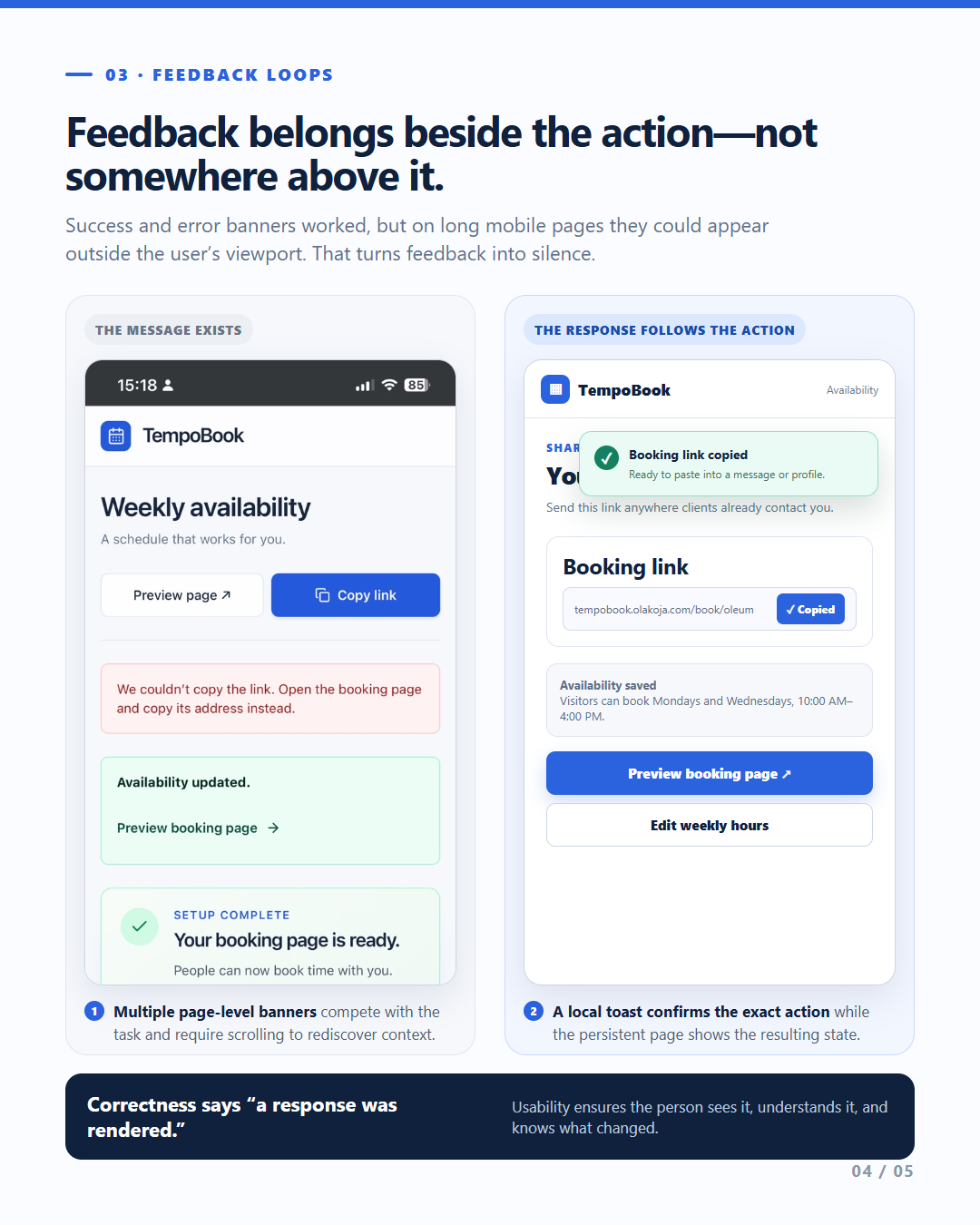
This included clearer prompts, useful empty states, more meaningful feedback, and navigation checks.
The goal was to reduce the amount of interpretation required from users during routine scheduling tasks.
Evidence of Work
From product requirements to usability findings.
TempoBook gave me the opportunity to work across multiple stages of product development.
Product Requirements Document
I structured the product requirements around user needs, core features, user stories, acceptance criteria, and implementation boundaries.
User journey evaluation
I reviewed how professionals configure their scheduling environment and how clients interact with the booking process.
Cross-device testing
I tested desktop and mobile experiences using separate accounts with different timezone configurations.
Usability findings
I documented issues involving onboarding guidance, checklist behaviour, appointment-date visibility, and navigation clarity.
Product improvement planning
I translated those observations into a focused set of improvements for the existing application.
Selected usability observations
Onboarding
The checklist appeared to progress automatically rather than functioning as an interactive guide tied to completed user actions.
Booking availability
Appointment dates were not visible in one mobile test account, requiring further investigation into account configuration, availability, and timezone handling.
First-time guidance
The interface needed clearer prompts to help users understand the sequence of actions required to begin accepting bookings.
Navigation and consistency
The product needed additional checks to ensure essential journeys remained understandable across desktop and mobile.
These observations formed the basis of the next refinement phase.
Outcome & Reflection
Moving from feature completion toward a more usable product.
TempoBook reached a functional stage where its core scheduling experience could be evaluated through hands-on testing.
That evaluation exposed usability issues that were not obvious from simply reviewing the screens or confirming that individual features existed.
The result of this phase was a documented set of UX findings and a clearer direction for product improvements.
The proposed refinements focus on onboarding, availability management, booking visibility, navigation, and cross-device consistency.
These improvements should not be considered implemented or validated until they have been completed and retested.
What I learned
Working software and usable software are not the same thing.
A product can contain the required features while still leaving users uncertain about what to do next.
Onboarding is part of the product experience.
Guidance should help users complete meaningful actions, not simply create the appearance of progress.
Testing requires context.
Different accounts, settings, and timezones can affect the experience. Understanding these differences is essential before drawing conclusions about a problem.
Good product decisions require prioritization.
Not every usability issue calls for a redesign. Sometimes the most valuable improvements are clearer instructions, better feedback, and a more coherent sequence of actions.
Product design extends beyond the interface.
TempoBook reinforced the importance of connecting requirements, workflows, usability testing, and implementation decisions.
Closing thought
An intuitive product doesn't just make actions possible. It helps people understand what to do next.
TempoBook reminded me that good product design is not measured only by the features a team ships, but also by how confidently people can use them.
Product Design · UX Evaluation · 2026
=====