Overview
Your scheduled work, without the inbox.
I use ChatGPT scheduled tasks to automate parts of my daily workflow, from researching opportunities to tracking follow-ups and receiving recurring updates.
But there was a problem.
The results arrived through email, which meant I still had to open my inbox, find the relevant notification, read through it, and sometimes navigate to another page just to understand what needed my attention.
I wanted something simpler: a place on my phone where I could quickly see what had arrived today, review the important information, and decide what to do next.
That idea became Todayline, a phone-first progressive web application designed to make scheduled-task updates easier to access and review.
What began as a personal productivity problem developed into a working product with a dedicated Today view, task previews, review states, history, and private account access.
I led the product direction, defined the requirements and experience, and used AI-assisted development to bring the application from concept to a deployed private pilot.
The central idea was simple:
Make scheduled work visible without making people work harder to find it.
The Challenge
Automation shouldn't create another place to check.
Automating a task is supposed to reduce effort.
But when the output of that automation gets buried among other emails, the user still has to spend time finding, interpreting, and organizing the information.
For me, the friction wasn't necessarily the scheduled task itself. It was the experience of receiving and reviewing its results.
I wanted to check my phone and immediately understand:
What updates arrived today?
Which ones need my attention?
What have I already reviewed?
Where can I find an earlier update?
How do I open the original information when I need more context?
The challenge was to create a focused mobile experience without building an unnecessarily complicated task-management platform.
Product objectives
01. Make daily updates glanceable
Bring relevant scheduled-task notifications into one place, organized around the current day.
02. Reduce unnecessary navigation
Allow users to preview updates before opening the original source.
03. Support lightweight review
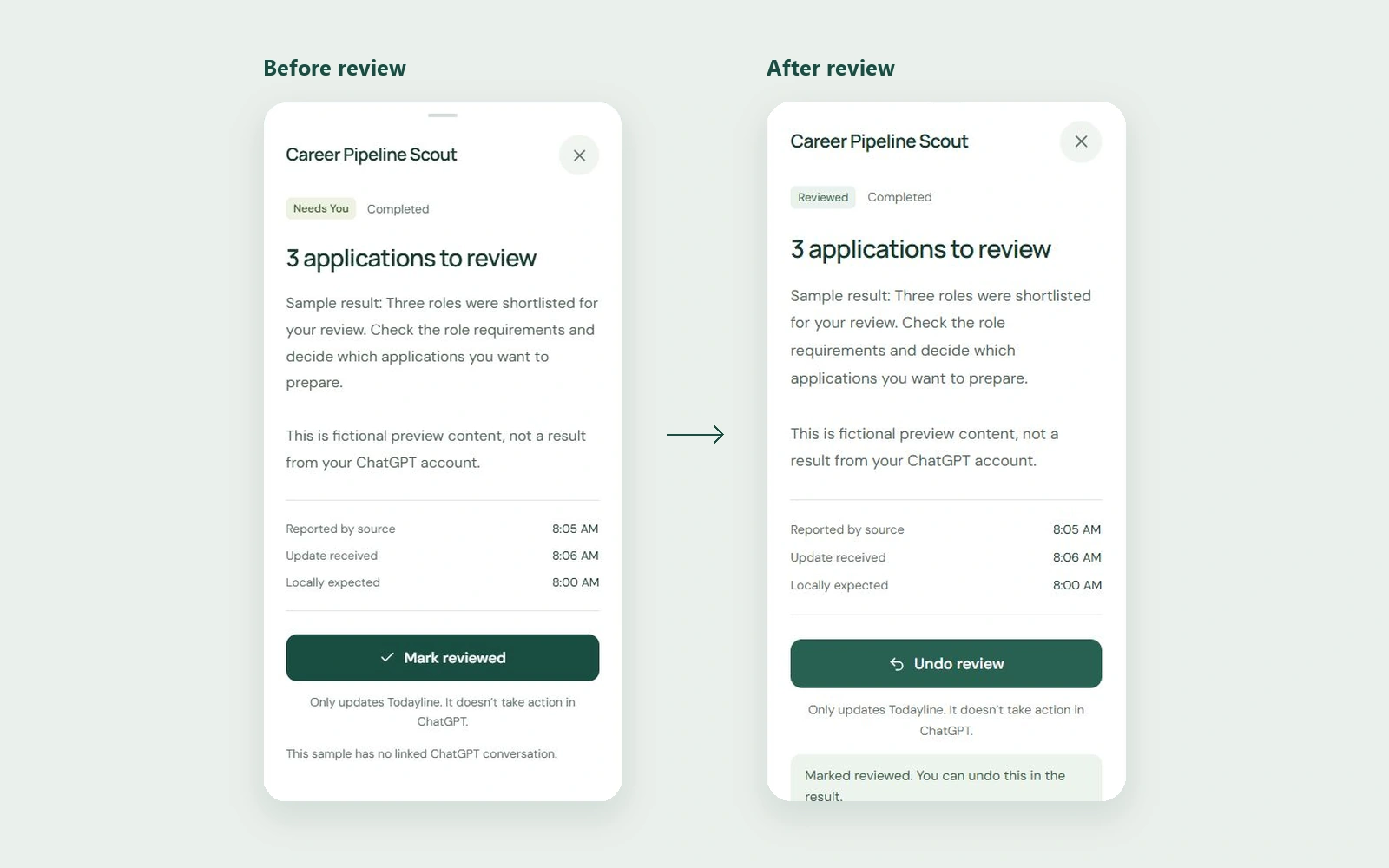
Help users distinguish between updates they have reviewed and those still requiring attention.
04. Preserve context
Make earlier updates accessible through a history view.
05. Respect privacy and information limits
Protect account information while clearly communicating when a preview is incomplete or uncertain.
The design question
How might we make automated updates easier to review on a phone without introducing another complicated productivity workflow?
My Approach
From a personal friction point to a working product.
I approached Todayline as a focused product-development exercise: understand the problem, define the smallest useful experience, choose a feasible implementation approach, and test the resulting workflows.
Stage 01 — Defining the problem
The original idea was not to build another productivity dashboard.
I wanted a lightweight phone experience that could show the scheduled work relevant to the current day.
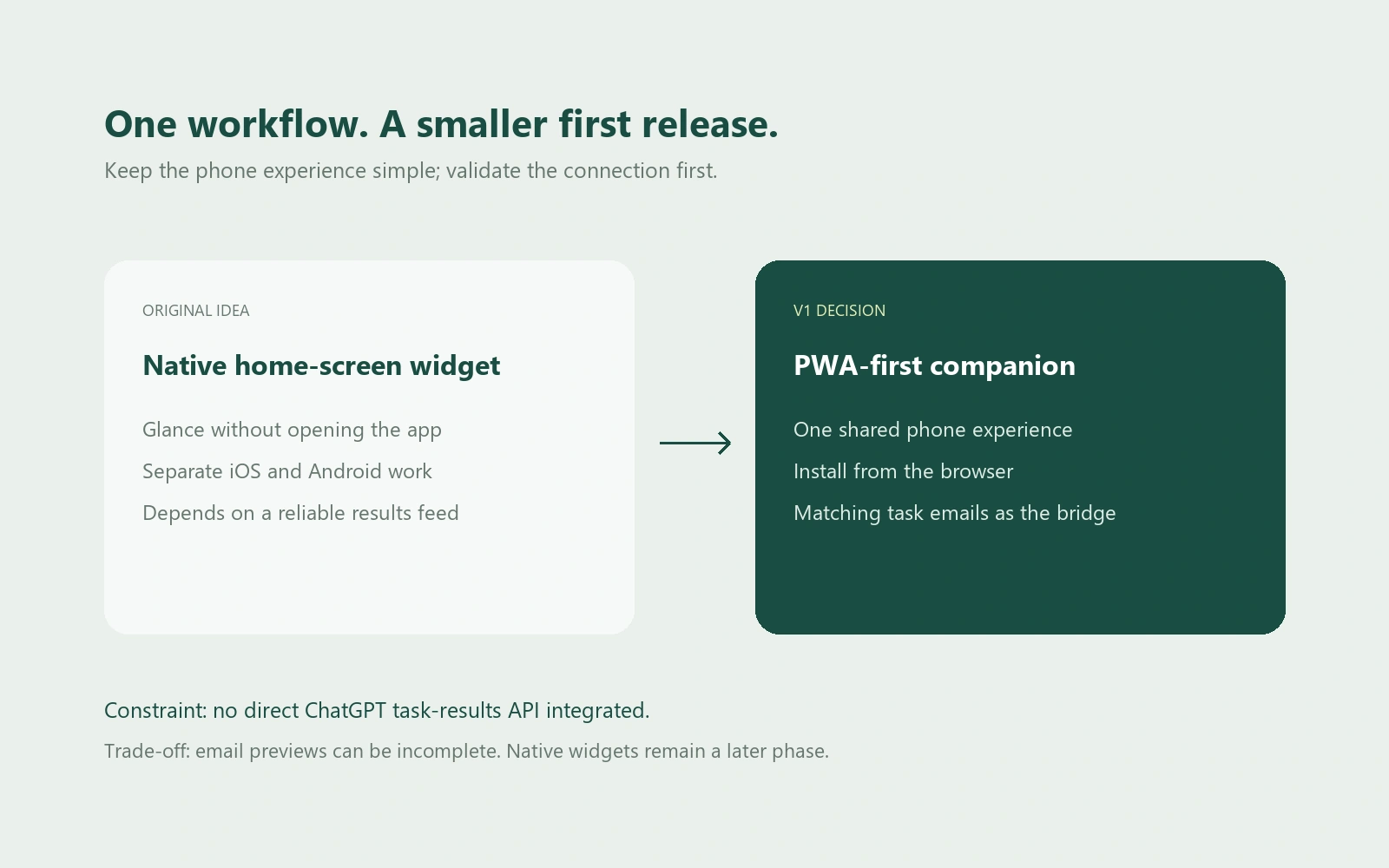
The initial concept explored whether this could live as a small phone widget or home-screen companion.
However, supporting both iPhone and Android through native widgets would introduce additional platform-specific development and maintenance.
I needed a simpler way to test the core experience first.
Stage 02 — Establishing the MVP
I developed a Product Requirements Document to clarify the target user, core functionality, product boundaries, acceptance criteria, and technical approach.
The first version focused on five essential capabilities:
A Today view for scheduled-task updates.
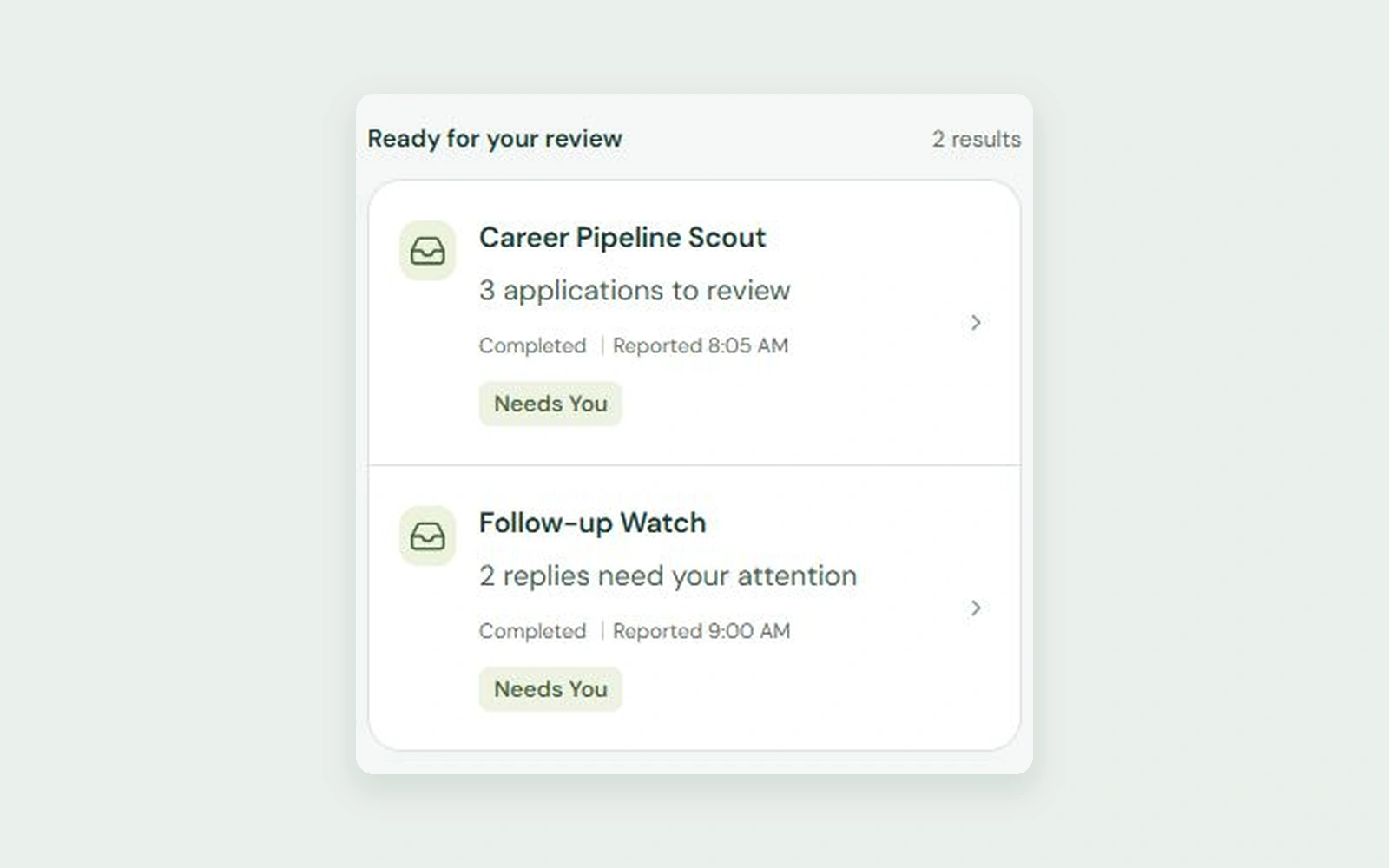
Task cards with useful previews.
Review states and actions.
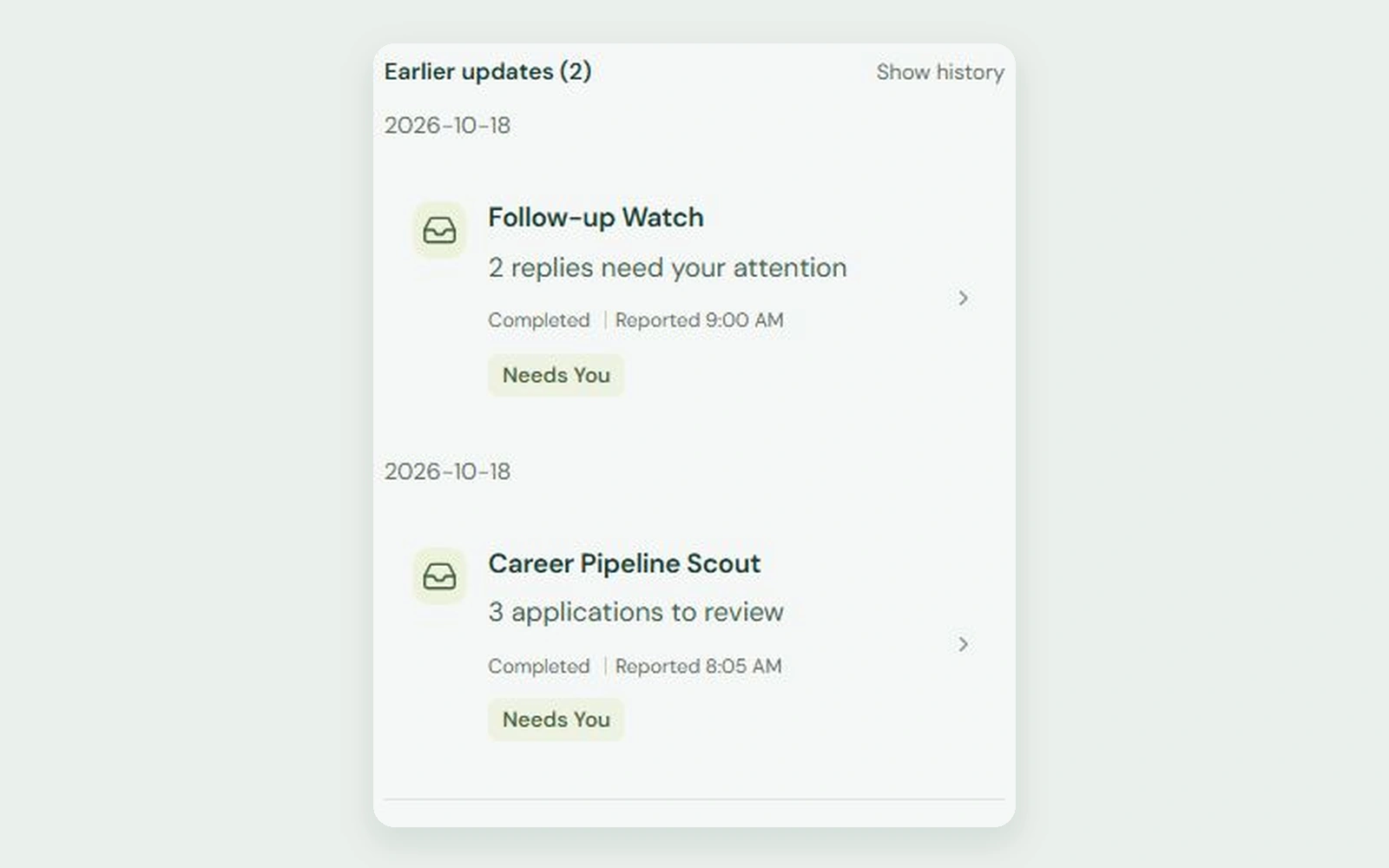
A history view for earlier updates.
Private account access and notification ingestion.
I deliberately kept features such as native home-screen widgets, advanced automation management, and direct control of ChatGPT scheduled tasks outside the initial scope.
The goal was to establish whether a dedicated daily review experience was useful before expanding the product.
Stage 03 — Designing the experience
I organized the interface around a simple question:
What does the user need to know right now?
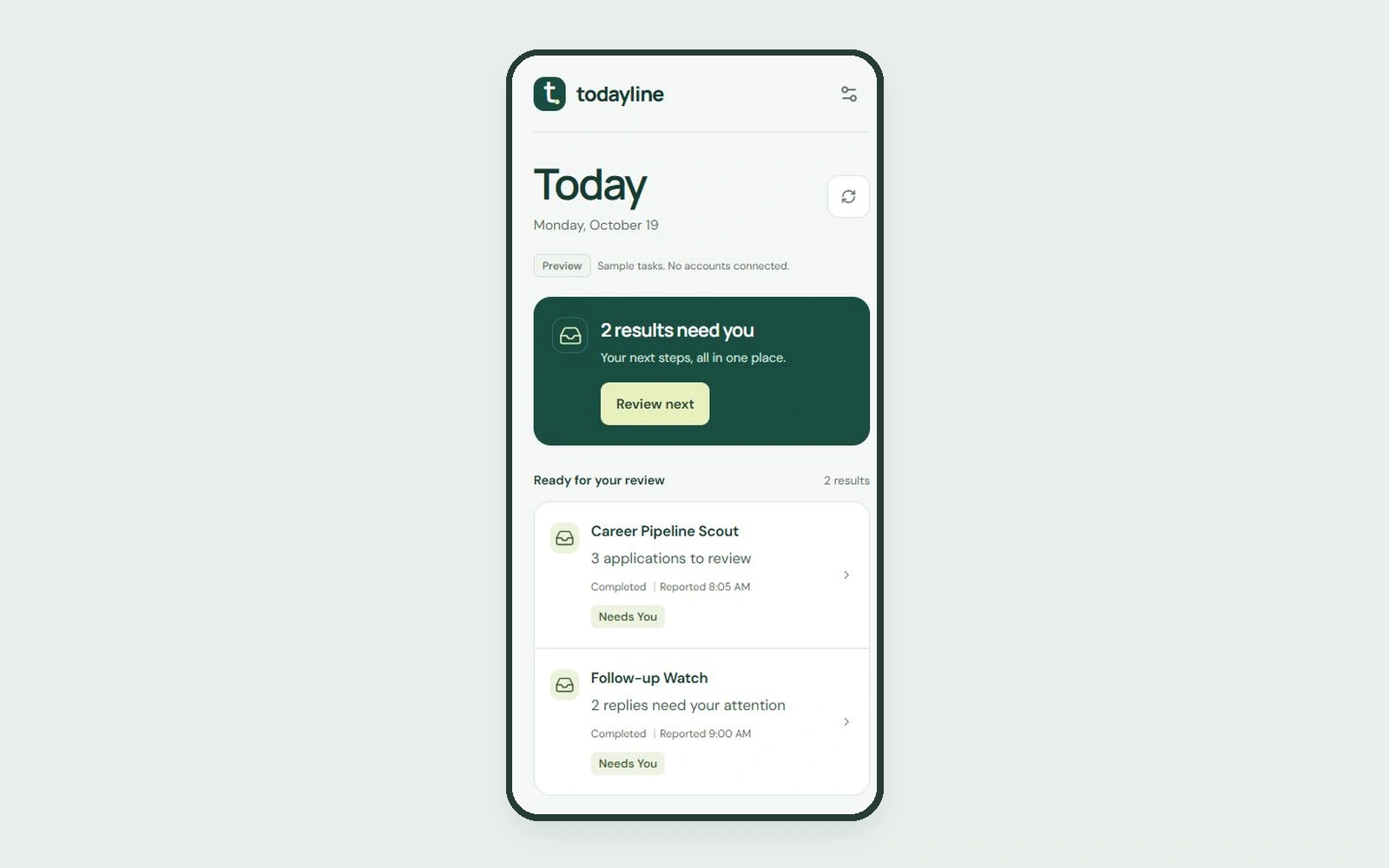
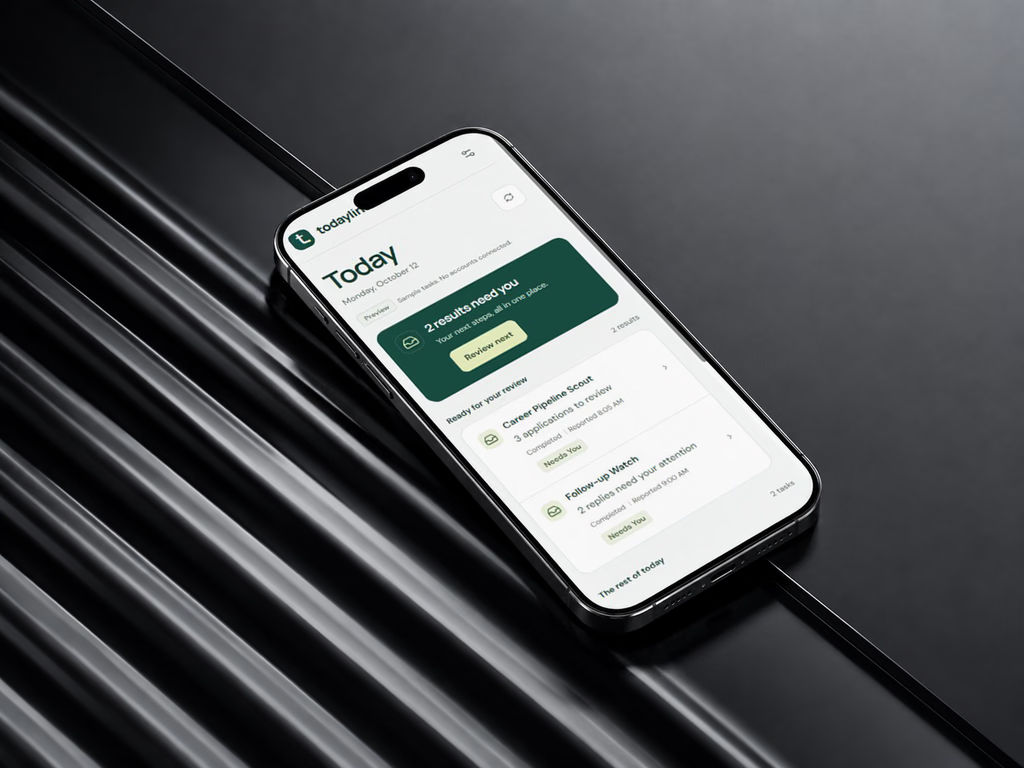
The Today view became the primary destination.
Instead of presenting a complex dashboard, the interface focuses on readable task cards, concise previews, and clear review actions.
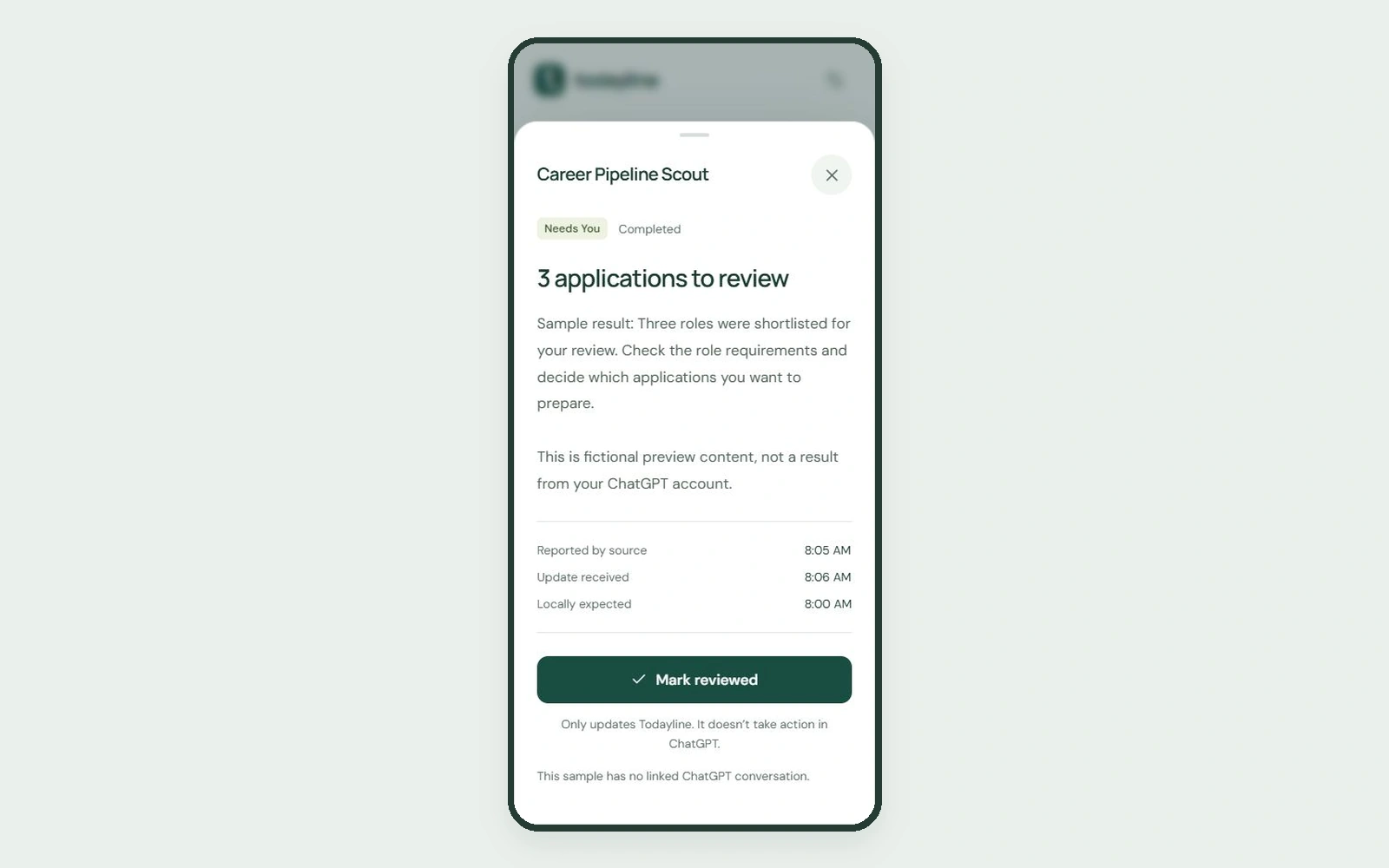
A detail view provides additional context when needed, while history allows users to revisit earlier updates.
I also considered how the interface would work on smaller phone screens, where information hierarchy and interaction clarity become particularly important.
The product was designed to feel like a lightweight companion rather than a replacement for the tools generating the scheduled work.
Stage 04 — Building the product
Todayline was implemented as a React and TypeScript progressive web application.
I used AI-assisted development to translate product requirements into a working application, while continuing to review the implementation against the intended experience.
The technical architecture uses Supabase for authentication and private data storage, with Gmail serving as the initial source for scheduled-task notifications.
A background process checks for relevant emails and prepares information for the application.
The PWA approach made it possible to deliver a phone-friendly experience through the browser, with home-screen installation support, without immediately developing separate native applications.
Stage 05 — Testing and refinement
Once the main application was implemented, I moved into testing the experience with actual scheduled-task emails.
A local ingestion test successfully processed 70 real task emails, providing a useful basis for checking how the system handled real notification content.
Testing also exposed integration and authentication challenges.
The initial email sign-in experience required refinement, leading to a move toward one-time verification codes.
I continued working on Gmail authorization, synchronization, account access, and the reliability of the hosted experience.
This stage reinforced the difference between having a working interface and having a dependable end-to-end product.
Key Product Decisions
Building around the problem, not the original solution. 01. Start with a PWA instead of native widgets
The decision
Build a responsive progressive web application before developing separate iOS and Android widgets.
Why
The core problem was accessing daily updates quickly, not necessarily having a native widget.
A PWA offered a practical way to test that experience across devices with a smaller initial development scope.
The trade-off
The product would not initially offer the same level of home-screen integration as a native widget.
I accepted that limitation to prioritize a usable core experience.
02. Use Gmail as the initial integration
The decision
Use scheduled-task notification emails as the source of information rather than depending on direct access to ChatGPT's scheduled-task data.
Why
Direct access to the required scheduled-task results was not available for this implementation.
Gmail provided a practical route for retrieving notifications already being delivered to the user.
The trade-off
Email content may be incomplete, delayed, or insufficient to determine the actual state of a task.
Todayline therefore needed to distinguish between information received through email and actions genuinely completed by the user.
03. Design around attention, not task administration
The decision
Prioritize the Today view, previews, and review actions instead of building a full task-management system.
Why
The original problem was information visibility and review.
Adding scheduling controls, project management, and complex automation features would have expanded the scope without directly solving that problem.
The trade-off
Users still need to return to the original service for certain actions.
Todayline acts as a companion, not a replacement.
04. Make uncertainty visible
The decision
Treat notification previews as partial information rather than definitive proof of task completion.
Why
Receiving an email does not necessarily mean an underlying scheduled task succeeded, nor does it guarantee that the full result is available.
The interface needed to avoid creating false confidence.
The trade-off
Some updates require users to open the original source for additional context.
This is preferable to displaying misleading information.
05. Prioritize private access
The decision
Use authenticated accounts and private data storage rather than exposing scheduled-task information through public pages.
Why
Notifications may contain personal, professional, or commercially sensitive information.
Privacy needed to be considered from the beginning, not introduced after public release.
The trade-off
Authentication, email authorization, and account-specific synchronization added technical complexity to the MVP.
Evidence of Work
Turning a product hypothesis into functioning software.
Todayline moved beyond a concept or static prototype into a deployed application.
Product definition
I created a structured PRD outlining the product problem, target user, core features, functional requirements, acceptance criteria, risks, and initial release boundaries.
UX and interface design
I developed a phone-first experience centered on a daily review workflow.
The application includes a Today view, task cards, detail panels, review actions, history, and settings.
Working application
Todayline was implemented using React, TypeScript, and a PWA architecture, with Supabase supporting private account functionality and storage.
Notification ingestion
The application uses a Gmail-based integration to retrieve scheduled-task notification content.
A local ingestion test processed 70 real task emails.
This verified the local processing path, not the reliability of the entire hosted synchronization flow.
Authentication refinement
Authentication was revised during development after problems with the initial email-link experience.
The revised approach uses one-time sign-in codes.
Deployment and private pilot
The application was deployed online and progressed into a private-pilot stage, with a public beta waitlist introduced for future users.
The hosted Gmail authorization and synchronization journey continued to require verification and refinement.
Technical stack
React and TypeScript
Progressive Web App architecture
Supabase authentication and database
Gmail integration
Scheduled background processing
Vercel deployment
Resend for authentication email delivery
Outcome & Reflection
A working product, with real integration challenges still to solve.
Todayline evolved from a personal workflow idea into a deployed, phone-first web application.
The core interface and daily review experience were implemented, including task previews, review states, history, account access, and settings.
The project also progressed through real-data ingestion testing, authentication changes, and production deployment.
However, deployment alone did not mean the product was ready for a full public launch.
The private pilot continued to focus on completing and verifying the hosted Gmail connection, synchronization reliability, and the end-to-end experience.
I have not yet established public adoption, retention, or time-saved metrics, so I would not present those as outcomes.
The most meaningful result at this stage is that I took a clearly defined personal problem through product planning, design, implementation, and real-world technical testing.
What I learned
Start with the problem, not the interface.
The original request sounded like a phone widget. But the underlying need was easier access to scheduled work.
Recognizing that difference made it possible to choose a more practical first version.
Constraints are part of product strategy.
The absence of direct scheduled-task data access shaped the architecture.
Rather than waiting for an ideal integration, I explored a feasible alternative while documenting its limitations.
A deployed product is not necessarily a finished product.
Authentication, synchronization, privacy, and reliability are part of the user experience.
A polished interface cannot compensate for an incomplete critical workflow.
AI-assisted development still requires product judgment.
AI helped accelerate implementation, but decisions about scope, behaviour, edge cases, privacy, and readiness still required deliberate evaluation.
Building for yourself doesn't eliminate the need for validation.
The initial problem came from my own experience.
That made it easier to identify the friction, but broader usefulness still needs to be tested with other users.
Closing thought
The best productivity tools don't give people more things to manage. They make the things that matter easier to see.
Todayline started with a small frustration in my daily routine and became an opportunity to practice end-to-end product thinking: defining the problem, setting boundaries, making trade-offs, building a solution, and recognizing what still needs to improve.
Product Management · Product Design · 2026
=====